DragonSword: Awakening FPS Drops and Stutter Fixes
Quick answer
DragonSword: Awakening stutter is usually one of three things: an HDD install instead of SSD, shader compilation during the first hour after a patch, or V-Sync enabled in both the game and your GPU control panel. Diagnose which one you have before changing graphics settings — lowering quality does not fix any of the three.
Updated · Verified on Patch 1.0.x · Sources: in-game testing, Steam store page, Hound13 announcements
"Low FPS" and "stuttering" are different problems with different fixes, and treating one as the other is why so many people end up on Low settings still stuttering. Diagnose first.
Step 1: identify which problem you have
| What you see | What it is | Go to |
|---|---|---|
| Consistently low frame rate everywhere, smooth but slow | GPU load — a genuine settings problem | Best settings |
| Smooth, then a hard hitch when entering a new area | Shader compilation or storage | Section A below |
| Regular rhythmic micro-stutter regardless of location | Frame pacing / V-Sync conflict | Section B below |
| Fine for 20 minutes, degrades over time | Thermal throttling or a memory leak | Section C below |
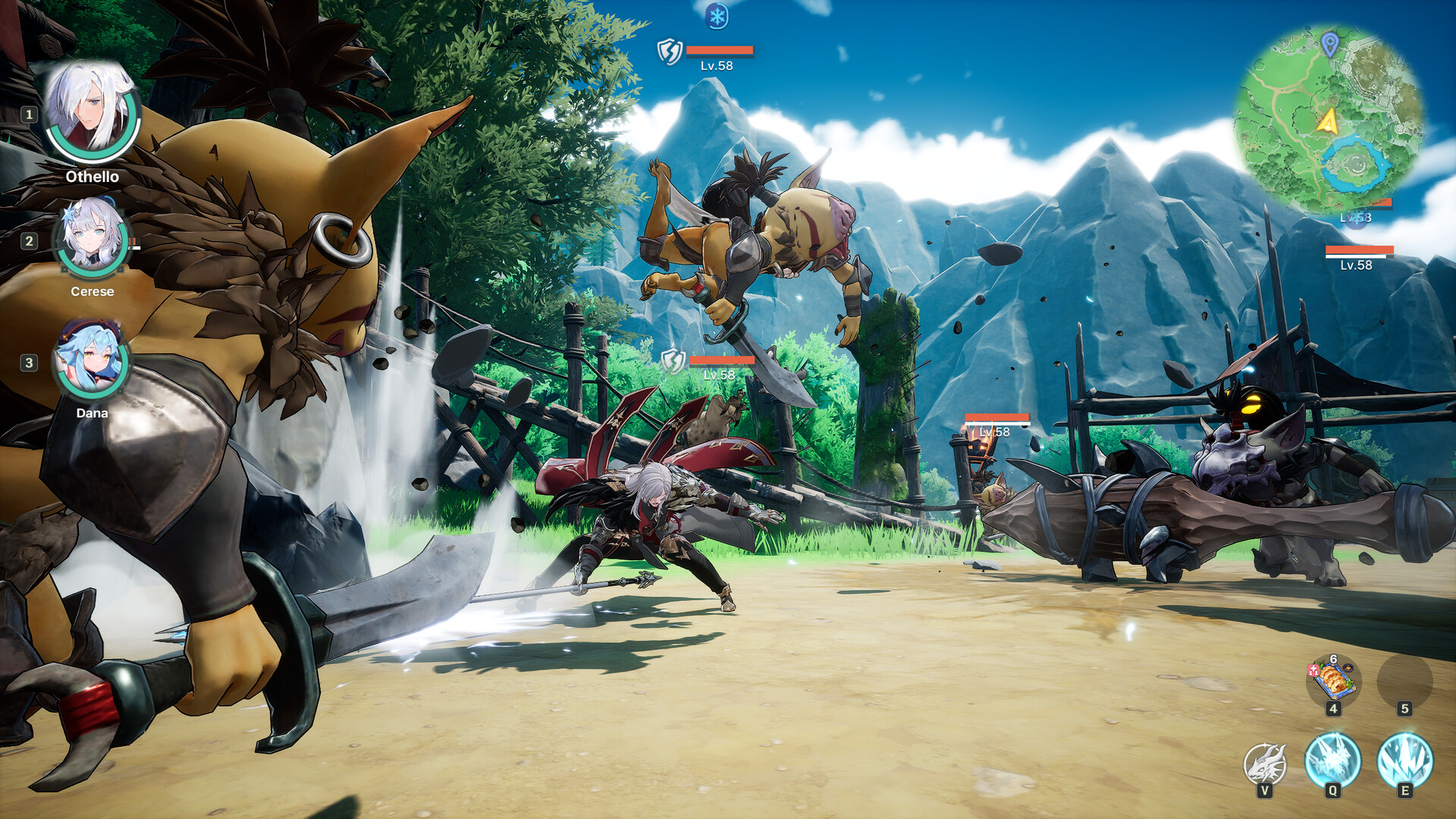
| Drops only in heavy combat | Effects and shadow load | Section D below |
| Textures loading in visibly late | Storage speed | Section A below |
A. Traversal hitches and texture pop-in
This is the most-reported DragonSword: Awakening problem and it is almost never a GPU issue.
- Move the install to an SSD. The minimum specification asks for 25 GB of SSD storage for a reason. On a mechanical drive DragonSword: Awakening stutters badly during open-world traversal and there is no settings combination that fixes it.
- Set Shader Cache Size to Unlimited — NVIDIA Control Panel → Manage 3D Settings, or AMD Adrenalin → Graphics. A capped shader cache means DragonSword: Awakening rebuilds shaders it already compiled, so the same hitches recur every session.
- Let it idle at the title screen for 60 seconds after every patch. Shader compilation happens on first encounter; giving it a head start moves those hitches out of combat.
- Verify game files through Steam if pop-in persists after the above.
Expect the first 30–60 minutes on a fresh patch to be hitchier than normal. That is shader compilation working through the content you touch, and it settles.
B. Frame pacing and the V-Sync conflict
If your frame counter looks fine but DragonSword: Awakening feels stuttery, you have a pacing problem rather than a performance one.
- Turn V-Sync off in the in-game menu.
- Cap the frame rate in your GPU control panel at 3 fps below your monitor's refresh rate.
- Do not run both a control-panel cap and an in-game cap; pick one.
- If you cap at 40 fps, set your display to 40 Hz if it supports it. A frame cap that is not a clean divisor of your refresh rate produces judder that reads as stutter.
- Switch from Borderless to exclusive Fullscreen.
Running V-Sync in both places is the specific misconfiguration that produces heavy input delay plus stutter, and it is common because both defaults lean toward "on".
C. Performance that degrades over a session
- Check temperatures. A GPU thermal-throttling after 20 minutes shows as a steady decline rather than hitches. Laptops and small-form-factor builds are the usual candidates.
- Close background applications — browser tabs, Discord overlays, recording software and launcher overlays all compete for the same CPU headroom, which matters on i5-9400F-class chips at the minimum spec.
- Disable overlays you are not using. Steam overlay, GeForce Experience, Discord and MSI Afterburner each add frame-time cost.
- Restart DragonSword: Awakening between long sessions. If memory use climbs steadily across a multi-hour session, restarting is faster than diagnosing it.
D. Drops only during heavy combat
Combat drops mean effects and shadow load, not general GPU capability.
- Lower Volumetric Shadows first — it is disproportionately expensive when several ailment VFX are on screen.
- Lower Shadow Quality to Medium next.
- Keep Effects Quality high. Ailment build-up rings, Signal Skill prompts and Break indicators are all VFX. Lowering them costs you combat information.
- If you are in Raids with two other players, expect a heavier load than solo — three full teams of three means far more simultaneous effects.
E. Crashes on startup
If DragonSword: Awakening will not launch at all rather than running badly:
- Update your GPU driver, then verify game files in Steam.
- Delete the shader cache folder and let it rebuild.
- Run Steam as administrator once, so it can write cloud-save and config files.
- Disable third-party overlays, which are the most common cause of launch-time crashes.
- Confirm you are on Windows 10 64-bit or newer — DragonSword: Awakening does not support 32-bit Windows.
FAQ
Why is DragonSword: Awakening stuttering?
Most commonly an HDD install rather than SSD, shader compilation in the first hour after a patch, or V-Sync enabled in both DragonSword: Awakening and the GPU control panel simultaneously.
How do I fix low FPS in DragonSword: Awakening?
Enable DLSS or FSR upscaling, set Shadow Quality and Global Illumination to Medium, install to an SSD, and set Shader Cache Size to Unlimited.
Does DragonSword: Awakening have shader compilation stutter?
Yes, like most Unreal Engine 5 titles. It is worst in the first 30–60 minutes after a patch and settles as shaders finish compiling. Setting Shader Cache Size to Unlimited stops it recurring.
Will lowering settings fix my stutter?
Not if the stutter comes from storage speed, shader compilation or a V-Sync conflict. Diagnose the type of stutter first — lowering settings only helps genuine GPU-load problems.