DragonSword: Awakening on Steam Deck
Quick answer
DragonSword: Awakening runs natively on Steam Deck. It is the same Steam purchase as the desktop version, with no streaming required. Expect a stable handheld experience at 30–40 fps using FSR upscaling with Shadows, Global Illumination and Post-Processing on Medium, and roughly 1.5–2 hours of battery at a 12 W TDP cap.
Updated · Verified on Patch 1.0.x · Sources: in-game testing, Steam store page, Hound13 announcements
Steam Deck is the only handheld that plays DragonSword: Awakening today, and it plays it well. This page covers what to set, what to expect, and where the Deck struggles.
Steam Deck support status
DragonSword: Awakening supports Steam Deck natively. You buy it once on Steam and it installs on both your desktop PC and your Deck, with Steam Cloud carrying your save between them.
| Item | Detail |
|---|---|
| Runs on Deck | Yes, natively |
| Separate purchase needed | No — one Steam licence |
| Cloud saves between PC and Deck | Yes, Steam Cloud is supported |
| Install size | About 25 GB — plan for a microSD card if your Deck is 64 GB |
| Storage type | Install to internal SSD if you can; microSD increases traversal stutter |
| Controller support | Full — DragonSword: Awakening is controller-first on PC already |
Methodology note. The presets below are built from DragonSword: Awakening's in-game graphics options and its published minimum specification, mapped onto Deck-class hardware. The frame-rate column states the target each preset is configured to hold, not a first-party benchmark average. We are collecting per-device measurements and will replace these with measured figures and a model-by-model table — send yours through contact and we will credit it.
Three settings presets
Preset A — Battery saver (long sessions, story and exploration)
Target: locked 30 fps, longest runtime. Best for open-world traversal, cooking runs and Familiar collecting.
- Frame limit: 30 fps (set in the Deck's Quick Access menu, not in-game)
- TDP limit: 8–10 W, refresh rate 60 Hz
- Upscaling: FSR, Balanced, resolution scale 70%
- Shadows / Global Illumination / Post-Processing: Low
- Volumetric shadows: Off
Preset B — Balanced (recommended default)
Target: 30–40 fps with materially better image quality. This is the preset most players should use.
- Frame limit: 40 fps, refresh rate 40 Hz (matching them removes judder)
- TDP limit: 12 W
- Upscaling: FSR, Quality, resolution scale 80%
- Shadows / Global Illumination / Post-Processing: Medium
- Volumetric shadows: Medium
Preset C — Combat priority (Tower, Hunts, Raids)
Target: highest and most consistent frame rate for timing-sensitive content, at the cost of runtime. Use this for Tower of Trials floors above 30 and for Raids.
- Frame limit: 40 fps, refresh 40 Hz
- TDP limit: 15 W
- Upscaling: FSR, Performance, resolution scale 65%
- Shadows: Low, Global Illumination: Low, Post-Processing: Medium
- Volumetric shadows: Off
Battery expectations
At the recommended 12 W cap with Preset B, expect roughly 1.5 to 2 hours of DragonSword: Awakening on an LCD Deck, and somewhat more on an OLED, whose larger battery and more efficient display meaningfully extend runtime. Preset A at 8–10 W stretches that toward 2.5 hours; Preset C at 15 W pulls it under 90 minutes. Open-world traversal draws more power than enclosed dungeon and Tower floors, because draw distance is the dominant cost in this game.
Controls: mapping the tag-swap
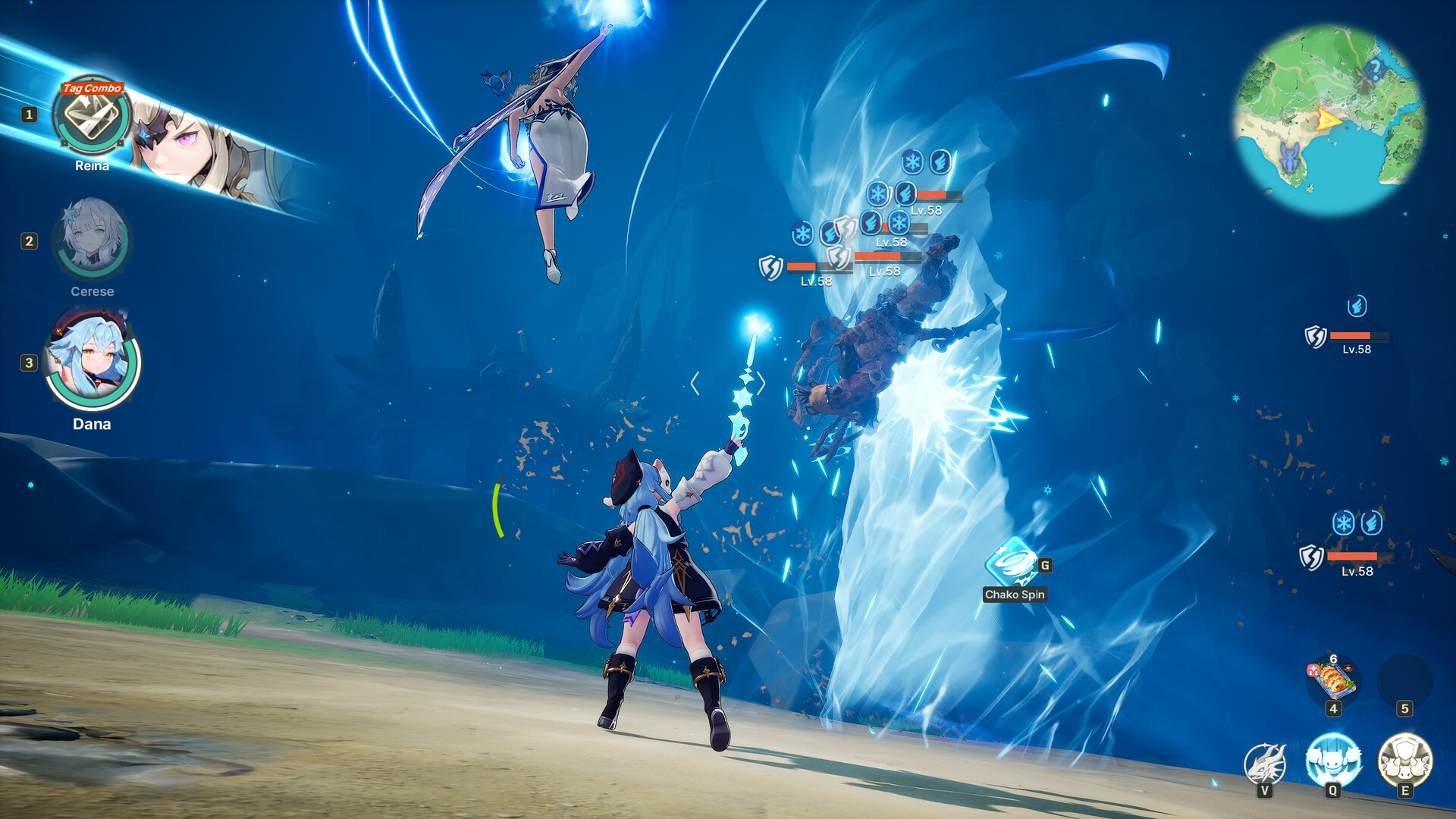
DragonSword: Awakening's combat depends on switching between three heroes at the right moment, so the swap inputs matter more than anything else in your layout.
- Keep hero 2 and hero 3 swaps on the shoulder buttons or the rear grip paddles. Do not bury them in a radial menu — Signal Skill windows are short.
- Bind dodge to a face button you can reach without releasing the right stick, since camera control during dodges is constant.
- Use the right trackpad as a secondary camera for precise aiming during Break windows; the default sensitivity is usually too low.
- Turn the in-game Signal Skill prompt scale up. The Deck's 7-inch screen makes the default prompt easy to miss, and missing prompts is the single biggest cause of dropped tag combos.
Deck-specific problems and fixes
Traversal stutter. Almost always shader compilation or microSD read speed. Let DragonSword: Awakening sit at the title screen for a minute after an update so shaders finish compiling, and install to internal storage if you have room. Same root cause as covered in the FPS and stutter guide.
Frame pacing that feels worse than the number suggests. Match your frame limit and refresh rate exactly — 40/40 or 30/60. A 40 fps cap at 60 Hz produces uneven pacing that reads as stutter even when the counter looks fine.
Text legibility. Material names and Karma descriptions are dense. Raise UI scale; the material planner is the easier way to read totals on a small screen anyway.
Overheating in docked mode. Docked at higher TDP with an external display, the Deck will throttle during heavy combat. Cap TDP at 15 W even when docked.
FAQ
Does DragonSword: Awakening work on Steam Deck?
Yes. DragonSword: Awakening runs natively on Steam Deck with full controller support and Steam Cloud saves shared with the desktop version.
What are the best Steam Deck settings for DragonSword: Awakening?
For most players: 40 fps cap at 40 Hz, 12 W TDP, FSR on Quality with 80% resolution scale, and Shadows, Global Illumination and Post-Processing on Medium.
How long does the battery last playing DragonSword: Awakening on Steam Deck?
Roughly 1.5–2 hours at a 12 W cap on an LCD Deck, longer on OLED. Dropping to 8–10 W with a 30 fps cap extends this toward 2.5 hours.
Do I need to buy DragonSword: Awakening twice for PC and Steam Deck?
No. It is one Steam purchase that installs on both, with cloud saves carrying progress across.
Is Steam Deck better than waiting for a Switch version?
There is no announced Switch version, and the original Switch falls below DragonSword: Awakening's minimum specification. See Nintendo Switch status.